> ## Documentation Index
> Fetch the complete documentation index at: https://docs-dev-docs-event-stream-action-templates.mintlify.site/llms.txt
> Use this file to discover all available pages before exploring further.
> Learn how to debug your Auth0 rules.
# Debug Rules
The End of Life (EOL) date of Rules and Hooks will be **November 18, 2026**, and they are no longer available to new tenants created as of **October 16, 2023**. Existing tenants with active Hooks will retain Hooks product access through end of life.
We highly recommend that you use Actions to extend Auth0. With Actions, you have access to rich type information, inline documentation, and public `npm` packages, and can connect external integrations that enhance your overall extensibility experience. To learn more about what Actions offer, read [Understand How Auth0 Actions Work](/docs/customize/actions/actions-overview).
To help with your migration, we offer guides that will help you [migrate from Rules to Actions](/docs/customize/actions/migrate/migrate-from-rules-to-actions) and [migrate from Hooks to Actions](/docs/customize/actions/migrate/migrate-from-hooks-to-actions). We also have a dedicated [Move to Actions](https://auth0.com/extensibility/movetoactions) page that highlights feature comparisons, [an Actions demo](https://www.youtube.com/watch?v=UesFSY1klrI), and other resources to help you on your migration journey.
To read more about the Rules and Hooks deprecation, read our blog post: [Preparing for Rules and Hooks End of Life](https://auth0.com/blog/preparing-for-rules-and-hooks-end-of-life/).
We expose IPv6 addresses in our public endpoints (e.g., `travel0.us.auth0.com`). If a request arrives from a machine that supports IPv6, then the `context.request.ip` property will contain an IPv6 address. If you perform manual IP address manipulation, we suggest you use the [ipaddr.js@1.9.0 library](https://www.npmjs.com/package/ipaddr.js/v/1.9.0).
To debug any [Auth0 Rule](/docs/customize/rules) you have created, you can use `console.log` from within your rule code. You can see `console.log` output by using the **Save and Try**, viewing the logs available with the [Actions Real-time Logs](/docs/customize/actions/actions-real-time-logs), or for legacy clients, using the [Debug Rule CLI](#debug-rule-cli).
 ## Try this Rule
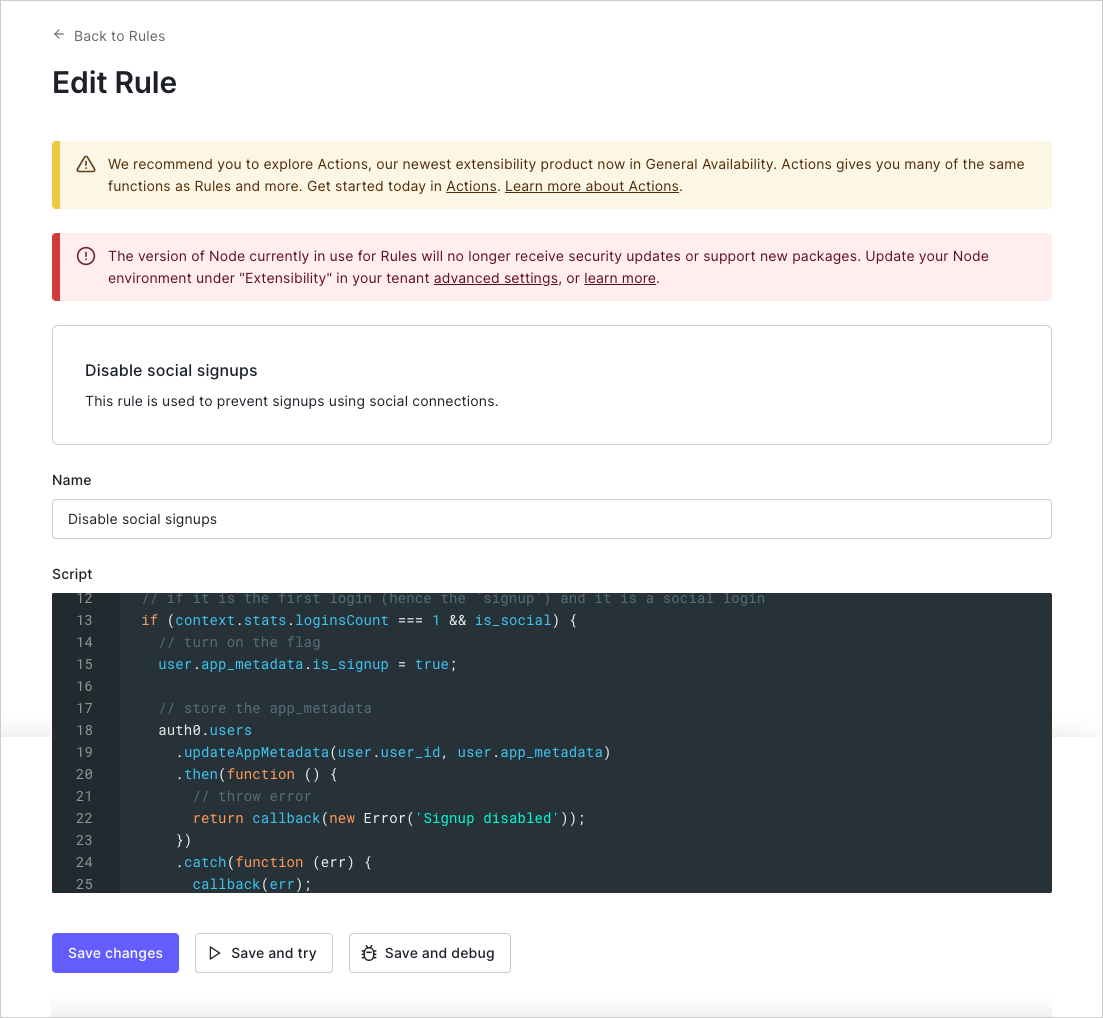
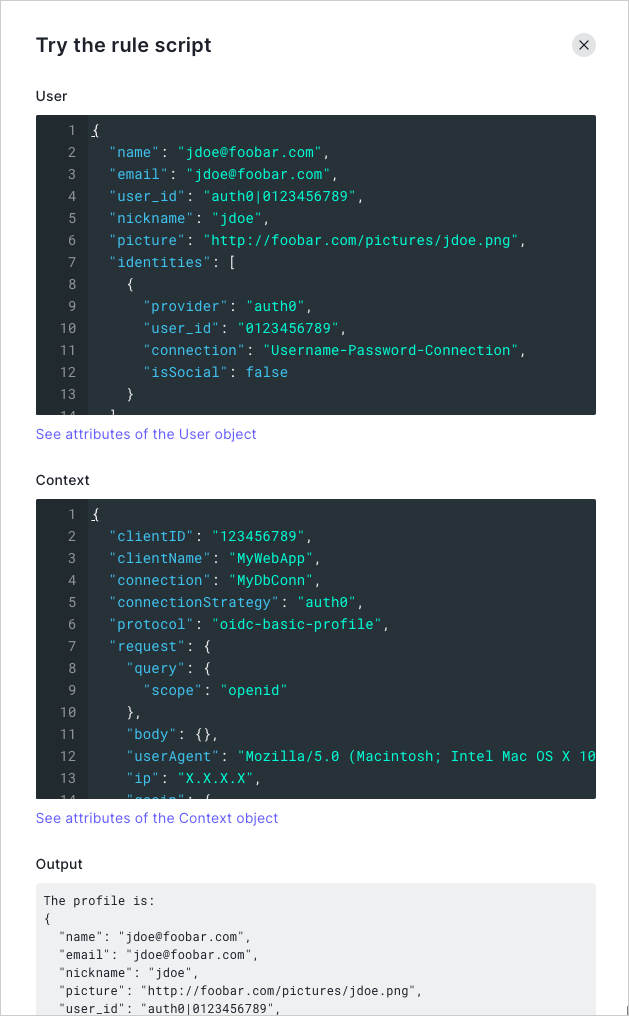
In the [Rules Editor](https://manage.auth0.com/#/rules/create), the **Save and Try** button lets you run a Rule in isolation with mock **user** and **context** objects. Clicking **TRY** will run the Rule with those two objects as input and will display any `console.log` output.
The **Try this rule script** feature functions outside a specific client context. When using this feature, you may run into issues if your Rule depends on data that would be provided when called from an actual application.
## Try this Rule
In the [Rules Editor](https://manage.auth0.com/#/rules/create), the **Save and Try** button lets you run a Rule in isolation with mock **user** and **context** objects. Clicking **TRY** will run the Rule with those two objects as input and will display any `console.log` output.
The **Try this rule script** feature functions outside a specific client context. When using this feature, you may run into issues if your Rule depends on data that would be provided when called from an actual application.
 ## Actions Real-time Logs
The Actions Real-time Logs displays all logs in real-time for all custom code in your account, which includes all `console.log` output and exceptions. To learn more, read [Actions Real-time Logs](/docs/customize/actions/actions-real-time-logs).
## Actions Real-time Logs
The Actions Real-time Logs displays all logs in real-time for all custom code in your account, which includes all `console.log` output and exceptions. To learn more, read [Actions Real-time Logs](/docs/customize/actions/actions-real-time-logs).